


How to Automate Production Scheduling for Manufacturers
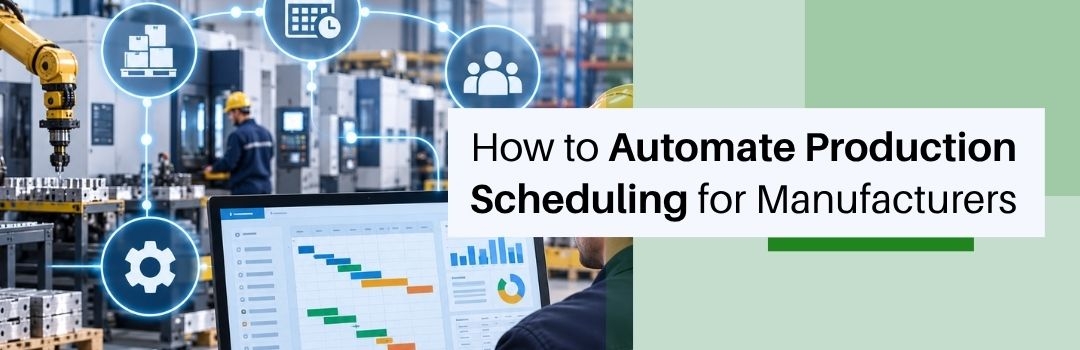
An essential part of any manufacturing plant’s operations, production scheduling determines the how and why of all manufacturing jobs. The timelines for each production job are scheduled based on available labor, machinery, materials, and historical completion data.
However, increasing production complexity and order sizes can create challenges in manual scheduling. Automation is a viable alternative and can help manufacturers respond quickly to changing production conditions while giving them complete control over their schedules.
For manufacturers wondering how scheduling automation works, today’s blog from ERPion, the smartest modular software in Ontario, will serve as a handy guide. We will talk about everything - from how scheduling is an essential part of production planning to how it can be automated.
What Is Production Scheduling and Why Does It Matter?
The central role of production scheduling is to turn jobs into an actionable sequence of events that revolve around work orders, resources, and timelines. A well-planned schedule is the key to preventing delays. It keeps manufacturing plants functioning as well-oiled machines that rarely go out of sync.
Production Scheduling vs. Production Planning
While production planning answers the question of what needs to be produced with which resources, production scheduling addresses the when and how of it. That’s the primary difference between them.
Key Factors That Affect a Production Schedule
Production environments are highly dynamic, and several factors can derail jobs from their stipulated schedules. Common examples include machine capacity, labor availability, order priorities, and required changeovers.
How Poor Scheduling Impacts Manufacturing Operations
Poor scheduling practices, including the manual creation of job timelines based on insufficient data, lead to several issues that can potentially impact the reputation of the manufacturer, such as:
- Missed delivery deadlines
- Machine downtime
- Excessive overtime
- Production bottlenecks
- Inefficient changeovers
- Poor resource utilization
Combating them is essential for businesses to protect their bottom line. Automation can be extremely valuable here.
Why Manual Production Scheduling Becomes Difficult to Manage
Manual scheduling is not a cakewalk even for manufacturing businesses that are in their nascent stage. There are simply too many activities to track and remember. Add complexity and unpredictability to the mix, which are a part of large-scale manufacturing operations, and manual scheduling becomes practically impossible. The following challenges make things worse.
Constant Schedule Changes
Rush orders, delays, machine breakdowns, and material shortages demand the constant rebuilding of schedules, which planners can only do when they have access to accurate and current information.
Limited Visibility Into Machine and Labor Capacity
Maintaining capacity information on a separate system leaves planners unable to accurately determine which resources are actually available.
Manual Coordination Between Production and Inventory
Seeking manual approvals from production and inventory departments can create additional bottlenecks and delay jobs further.
Difficulty Prioritizing Urgent Orders
Urgent customer requirements can often swoop in unexpectedly to disrupt preset schedules. To make matters worse, manually determining where these exceptions fit in planned production activities can lead to scheduling conflicts.
Risk of Scheduling Errors and Outdated Information
A planned schedule works only when it is based on current data. Manual updates increase the risk of schedules rooted in outdated information.
How Automated Production Scheduling Works
Production bottlenecks can cost a manufacturing plant in sales if they fail to complete jobs on time. So instead of falling prey to the constraints of manual scheduling, production planners must turn their sights to automation.
Automation scheduling is based on predefined rules, current production data, and operational constraints and exceptions, and it can quickly adapt to changing conditions. Here is how it works:
Collect Production Orders and Requirements
Instead of relying on information passed by word of mouth, automation systems automatically gather all order-related data, including quantities, due dates, priority status, and production requirements.
Check Machine, Labor, and Material Availability
The system also checks available equipment and labor capacity along with materials available to set more realistic timelines.
Assign Jobs Based on Production Constraints
Each job is assigned only after operational constraints have been thoroughly evaluated. As a result, manufacturers are able to promise deadlines they can actually stick to.
Sequence Jobs to Reduce Setup and Changeover Time
With smart manufacturing ERP software, planners can sequence jobs and optimize production schedules to prevent delay-inducing circumstances such as unnecessary machine setups. It also minimizes changes between different products and processes.
Adjust the Schedule When Production Conditions Change
If production priorities or sequences change or a machine becomes unavailable, planners can use the system to adjust schedules based on the new conditions. No need to rebuild the entire schedule from the ground up.
Provide Real-Time Schedule Visibility
Planners need real-time visibility into production schedules and current status so they can respond to changing conditions before they cause major delays, which these systems provide.
Steps to Automate Production Scheduling
Selecting the right manufacturing ERP software is essential for successful automation. But it is not the only step. Manufacturers must clearly define their existing scheduling processes so it can be used as a foundation for more realistic automation workflows.
1. Document Your Current Scheduling Process
Map the route each job takes before it is scheduled for production. Evaluate the factors that award it priority status and document how information is captured, updated, and shared between planning and production teams.
2. Identify Scheduling Constraints
Record average production details concerning each type of job, including its required machine capacity, labor, resources, timelines, and changeovers to set a baseline.
3. Define Scheduling Rules and Priorities
Pre-establishing factors that impact an average sequence helps in the development of a system that can handle its rules and priorities. Information that must be gathered in this regard includes customer deadlines, production priorities, machine capabilities, and setup requirements.
4. Connect Production, Inventory, and Order Data
Schedules made in isolation may not be as effective or actionable as when they are made in conjunction with information obtained from inventory and production departments. The chosen system must offer this capability.
5. Select Production Scheduling Software
Before shortlisting software, manufacturers must evaluate its features carefully. Especially its scheduling capabilities, integration options, configurability, and reporting. This helps in the selection of a system that is truly capable of accommodating a company’s manufacturing processes.
6. Configure Scheduling Workflows
Businesses must choose reliable vendors too. Preferably, the kind that can help them translate production rules and priorities into system workflows. As a result, automated schedules will be able to accurately reflect how the company’s operations actually work.
7. Test Automated Scheduling With Real Production Data
Before delivering the software concerned, developers must use realistic orders, capacity information, and production constraints to identify potential scheduling issues. This prevents the company-wide rollout of a system that still needs work.
8. Train Production Teams and Monitor Results
Training key planners and production managers on the new system, its rules, and workflows can improve software adoption rates among the team members of a manufacturing company. Meanwhile, tracking scheduling performance supports the refinement of production rules as needed.
Key Features to Look for in Production Scheduling Software
While good production scheduling software does create accurate and well-planned timetables, its capabilities extend beyond that. It helps planners carry out a host of functions that range from capacity planning to material allocation. That is why businesses should look for software that offers them a little extra.
Capacity Planning
Capacity planning helps determine whether machines and labor can accommodate planned production schedules.
Automated Job Scheduling
Automated job scheduling simplifies the assignment of production jobs based on a predefined set of rules and priorities.
Job Sequencing and Changeover Management
Sequencing capabilities help manufacturers organize jobs in a smarter way. This is useful in minimizing unnecessary setups and changeovers.
Work Order Management
Work order tools built into the scheduling system give a structure to production jobs, helping planners track them from scheduling through completion.
Inventory and Material Availability
Strong integration with inventory management systems helps planners identify whether the materials required for a job are available or not.
Real-Time Production Tracking
Real-time production updates provide instant visibility into the current status of scheduled jobs.
Schedule Adjustment and Exception Management
Exception management helps planners swiftly handle breakdowns, delays, urgent orders, and other exceptions without having to replan jobs from the ground up.
Reporting and Production Dashboards
Dashboards featuring accurate, up-to-date records support the improvement of scheduling performance and production processes.
How to Measure the Results of Automated Production Scheduling
Automation should be regularly subjected to evaluation with the help of operational metrics to determine its effectiveness. Comparing the results before and after implementation reveals the definitive improvement in scheduling processes. The following parameters must be checked to determine progress.
Schedule Adherence
Measure if actual production cycles match proposed schedules. Calculate how closely they align.
On-Time Delivery
Track whether planned production schedules lead to timely job completion of pending work orders to ensure on-time delivery.
Machine Utilization
Track if machines are being used to their full capacity.
Production Lead Time
Compare the time each job takes to move through its subsequent stages before and after automation implementation to gauge performance gains.
Changeover Time
Track the time-saving benefits improved sequencing brings – especially the additional time spent switching between products and processes.
Overtime Hours
Monitor overtime hours to verify if better scheduling has actively contributed to reducing them by balancing production demand with available capacity.
Common Mistakes When Automating Production Scheduling
Accurate information and clearly defined rules form the basis of proper scheduling automation. Without the two, all automation does is speed up efficiency. That is why it is critical to avoid the following mistakes:
Automating Without Defining Scheduling Rules
Unclear priorities and mismatched constraints prevent the proper configuration of scheduling processes.
Using Inaccurate Capacity or Inventory Data
Incorrect machine estimates and material information lead to the creation of unrealistic schedules.
Ignoring Production Constraints
Not accounting for dependencies such as machine capabilities, labour requirements, changeovers, etc. results in incomplete scheduling rules.
Failing to Account for Schedule Changes
Lack of support for exceptions such as breakdowns, rush orders, and material shortages makes planned schedules redundant when everything doesn’t align.
Automating Without Production Team Input
Incorporating the feedback of planners and production employees ensures the new automation system actually syncs with the processes manufacturing companies follow.
When Should Manufacturers Automate Production Scheduling?
As soon as production volume and complexity increase beyond what generic systems or manual intervention can handle, businesses should initiate the switch to scheduling automation systems. Consider it a sign that it is time to move on to newer technology and more efficient processes.
Production Volume and Complexity Have Increased
More orders, more products, more machines, more constraints – none of these can be tackled manually without causing serious operational limitations.
Planners Spend Too Much Time Updating Schedules
While maintaining production schedules is a part of a planner’s job, they have more responsibilities to shoulder. Automation can help reduce administrative workload, thus allowing planners to devote more time to other critical tasks such as analysing production priorities.
Schedule Changes Frequently Disrupt Production
Frequent changes to the schedule brought out by manual adjustments can impact machine, labor, material, and delivery commitments. This can be prevented with software that creates more realistic production timelines.
Management Needs Real-Time Production Visibility
Scheduling that syncs with broader manufacturing operations with the help of ERP software for manufacturing creates a more connected environment for production processes.
Conclusion
Automated scheduling solutions that connect with ERP systems or are a key component of ERP manufacturing software can completely revolutionize job scheduling and significantly accelerate completion rates for manufacturers. ERPion is the perfect manufacturing system for Ontario manufacturers that want to improve the efficiency of their workflows and processes. Contact us to learn how our modular software can do more than automate scheduling.
FAQs
How do I automate production scheduling?
Production scheduling can be automated with the help of dedicated ERP manufacturing software that connects orders, materials, capacity, constraints, and scheduling rules within a single digital environment.
What is automated production scheduling?
Automated production scheduling turns production planning into a digitized task that is handled by a dedicated software system instead of being a manual process.
What are the benefits of automated production scheduling?
Automated production scheduling improves visibility, enables faster schedule adjustments, improves resource utilization, and reduces administrative workload, among others.
How does production scheduling software work?
Production scheduling software analyzes the requirements of each job and evaluates it against available resources to determine realistic production timelines.
What is the difference between production planning and scheduling?
Planning determines what needs to be produced with which resources, while scheduling determines when and how it needs to be produced.